-1.png?width=100&height=53&name=HopeGives%20-%20Full%20Color%20Horizontal%20(3)-1.png)
Canceling a recurring donation on HopeGives is simple and only takes a minute.
Start by logging into your HopeGives account. Once you're in, click your profile button in the top corner of the screen. From there, navigate to the Monthly Impact section.
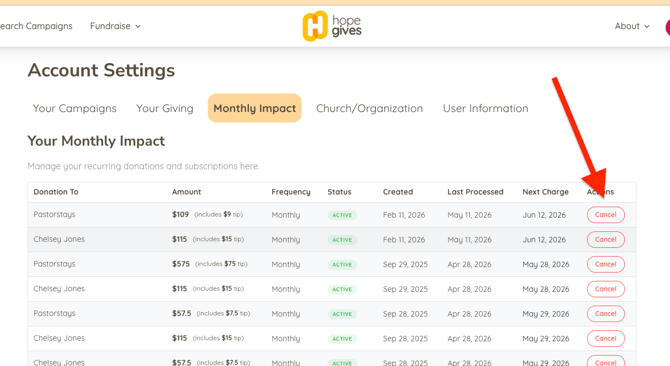
You'll see a list of your active recurring donations. Find the one you'd like to cancel and click the Cancel button next to it.
If you run into any trouble or don't see your donation listed, reach out to the HopeGives support team and we'll be happy to help.
support@hopegives.com