-1.png?width=100&height=53&name=HopeGives%20-%20Full%20Color%20Horizontal%20(3)-1.png)
What stays private
When you choose Make Anonymous, your name will not appear on the public campaign page. The public will only see Anonymous.
What is still shared
Your information is still shared privately with the campaign owner. If you are giving to a nonprofit organization, they will also receive your information for tax receipt purposes. None of this is visible to the public.
How to donate anonymously
-
Pick a campaign
-
Choose your donation amount
-
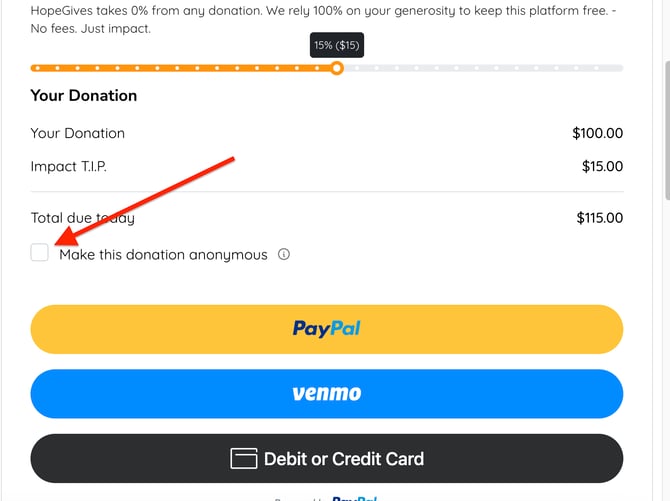
At checkout select Make Anonymous
-
Complete your donation